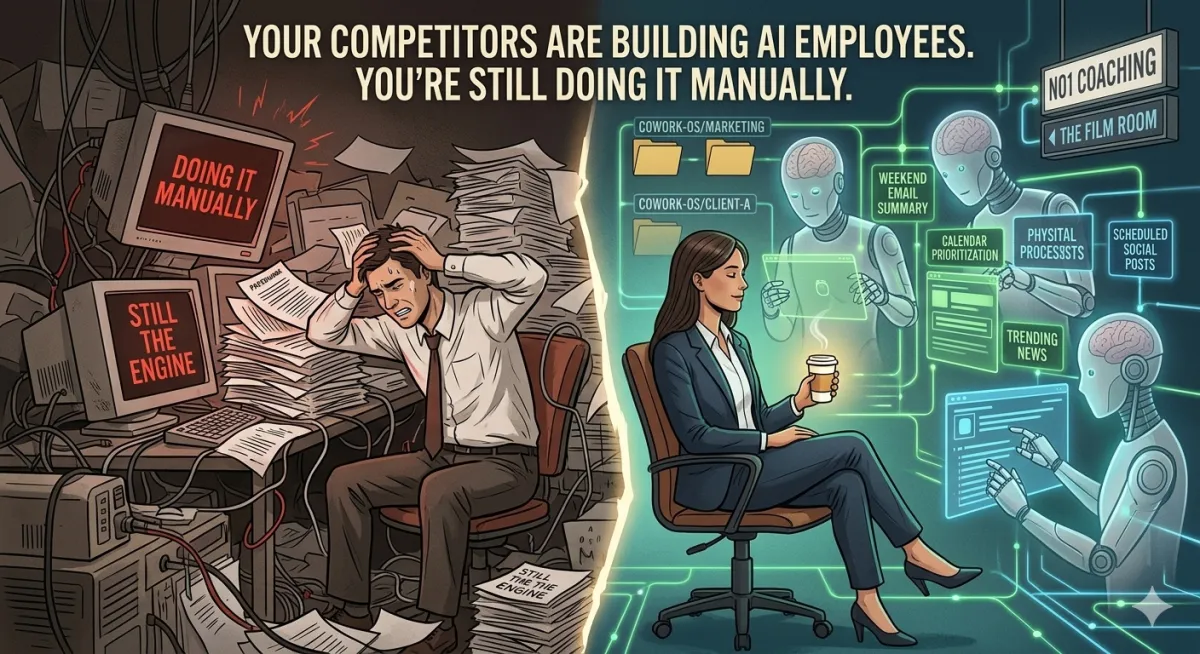
Your Competitors Are Building AI Employees. You're Still Doing It Manually.
There's a scene playing out right now inside some of the fastest-growing businesses in the world.
A marketing manager sits down on Monday morning. Before she's finished her first coffee, a document is already waiting on her desktop. It contains a summary of every important email from the weekend, today's calendar briefed and prioritized, a rundown of trending industry news filtered specifically for her clients, and three drafted social posts scheduled to go out at peak engagement time.
She didn't write a single word of it. She didn't check a single app. She didn't even open her laptop until it was done.
She built that system in an afternoon. It runs every morning at 5 am. And the only reason her competitors haven't done the same is that nobody told them it was possible — or how.
Consider yourself told.
The Difference Between Using AI and Deploying AI
Most business owners and entrepreneurs are using AI the wrong way. Not because they're lazy or unsophisticated — because nobody showed them the distinction that changes everything.
Using AI looks like this: you have a problem, you open Claude or ChatGPT, you type a question, you get an answer, you copy it into your work, you close the tab. Repeat 40 times a day. You're faster than you were, sure. But you're still the engine. You're still the one showing up, initiating, doing.
Deploying AI looks like this: you think carefully about what drains your time every week, you write down your expertise and your standards, you build a system that executes those standards automatically, and then you stop doing that task manually — forever. The AI isn't answering your questions anymore. It's running your workflows while you sleep.
The gap between those two approaches is not technical. It doesn't require a computer science degree. It doesn't require coding knowledge. It requires a strategic mindset — which, if you're reading this, you already have — and about an afternoon of setup.
That's what this article is about.
First, Understand What an AI Agent Actually Is
Strip away the jargon. An AI agent is just a loop.
You give it a goal
→ It thinks about how to achieve it
→ It uses tools totake action(search, read files, write files, send messages)
→ It feeds the results back to itself
→ It repeats until the job is done
A regular AI chatbot has a brain. An agent has a brain, hands, and a memory. The brain reasons. The hands take real actions — searching the web, reading your documents, drafting emails, organizing files, updating spreadsheets. The memory retains context across sessions, so it knows your business, your voice, and your standards without needing to be re-briefed every time.
That's the entire architecture. Everything else is just implementation.
The three components that separate a powerful agent from a basic chatbot:
Tools— What they can actually do. Web search, file access, email, calendar, databases, third-party apps. The richer the toolset, the more it can accomplish without asking you to do something manually.
Memory— What it remembers without being told again. Your brand voice, your client list, your pricing, your standards, your preferences. Set it once. It applies forever within that project.
Autonomy— The degree to which it acts without waiting for your approval at every step. You calibrate this based on risk: high stakes = more checkpoints. Routine tasks = let it run.
The Strategic Question Nobody Asks Before Building
Before you build anything — before you open an app, before you type a single instruction — you need to answer one question.
"What drains my time every week that doesn't actually require my highest-level judgment?"
This is the question Anthropic's own associate general counsel asked himself before building an AI system that transformed his department. His answer was routine legal compliance reviews — content that needed to be checked against guidelines before going live. Important enough to not skip. Repetitive enough that it didn't require a lawyer's expertise every time.
He codified his legal expertise into a document. Every rule, every flag, every standard he'd normally check manually. Then he built a system that applied those standards automatically — every time, consistently, at scale. His team now gets instant feedback on compliance issues before content ever reaches his desk. He handles the 20% that requires genuine legal judgment. The system handles the other 80%.
That's the template. Not "what can AI do?" but "what can I teach AI to do so that I stop doing it?"
Write down your answer before you build anything. It becomes your system's foundation.
The Two Tools You Need to Know
Anthropic — the company that makes Claude — has built two tools for this. They serve different users. Knowing which one fits you save shours of frustration.
Claude Code — For the Technically Inclined
Claude Code runs in your computer's terminal. It's extraordinarily powerful — it can read and write files, run scripts, automate complex multi-step processes, and operate as a full developer-grade agent. If you're comfortable in a command-line environment, this is the deepest and most flexible option.
Fair warning: getting it running on Windows involves a few technical hurdles — installing Node.js, enabling Git Bash, and adjusting execution policies. Doable, and worth it if you want maximum control. Not the right starting point if you've never opened a terminal.
Claude Cowork — For Everyone Else
Cowork is the same capability, built for non-developers. It's a desktop app with a visual interface. It connects to your local files, runs agents, executes scheduled tasks, and integrates with external apps — all through point-and-click setup rather than command-line configuration.
This is where most business owners, coaches, and entrepreneurs should start. The underlying power is identical. The friction is dramatically lower.
The honest bottom line: If you're comfortable in a terminal, use Claude Code. If you're not, use Cowork. You can always add Claude Code later once you understand the system. Both tools share the same architecture, concepts, and logic.
The Four-Component System That Runs on Autopilot
Think of your AI setup not as a single tool but as an operating system built on four layers. Build them in this order.
Layer 1: Your Folder Structure
Coworkinteracts with files on your actual computer. Before you build anything, organize your work into a clear folder hierarchy — one master folder, with subfolders for each area of your business or each client.
Cowork-OS/
├──Marketing/
├──Client-A/
├──Client-B/
├──Email-Vault/
└── Research/
Each subfolder becomes an isolated workspace. The AI working in your Client-A folder only sees Client-A files. No cross-contamination, no context bleed.
Shortcut: Once Coworkis is installed, you can type /begin in a chat, and Claude will interview you about your business, goals, and workflow — then automatically build out the entire folder structure, instruction files, and memory banks for you. Ten minutes of answers, and the entire system is built.
Layer 2: Connectors
Connectors are what let your AI reach beyond your local files into the apps you actually use. Gmail. Google Calendar. Notion. Slack. Asana. Google Drive. Over 38 integrations as of March 2026.
This is where AI stops being a document tool and starts being an operational tool. A scheduled task can read your inbox, check your calendar, pull data from your project management system, and synthesize all of it into a morning brief — automatically.
Set these up in Cowork under Settings → Connectors. Each one takes about two minutes.
Layer 3: Skills
This is the most important layer — and the one most people configure incorrectly.
A Skill is a saved, step-by-step workflow that Claude loads only when specifically needed. Writing a client proposal. Generating a weekly report. Researching a competitor. Creating a presentation. Each workflow lives as its own Skill file.
The critical mistake to avoid: Do not include detailed workflows in your Project Instructions. Instructions are loaded at the start of every single conversation — if you stuff them with process steps, Claude loads all of that context every time, even when it's irrelevant. This wastes tokens and degrades performance.
Rule: Instructions = who Claude is and what it's for. Skills = how Claude does specific tasks.
The fastest way to create a Skill: run the task as a normal conversation, iterate until the output is exactly what you want, then say, "This is perfect — create a skill so you can do this the same way every time."Claude writes the Skill. You click Copy. Done.
Layer 4: Scheduled Tasks
This is where the system becomes autonomous.
Once you have Skills built, you can tell Claude to run them on a schedule—daily, weekly, hourly, or at a specific time. The task runs in its own session with full access to your files, connectors, and skills. Results appear when you check in. No manual triggering required.
To schedule in Cowork: type /schedule in any conversation, or click Scheduled in the left sidebar.
One important note: Cowork's scheduled tasks run while your computer is awake and the app is open. If you want tasks to run even when your machine is off, use Claude's web-based scheduled tasks at claude.ai/code/scheduled — those run on Anthropic's cloud infrastructure, independent of your hardware.
What Non-Technical People Are Actually Building Right Now
Theory is useful. Proof is better.
Anthropic published case studies of their own non-technical employees using this exact system to replace entire departments.
Austin, Growth Lead — Running an entire marketing operation solo.
During Anthropic's fastest growth period, one non-technical marketer managed their complete paid search, social, email, and SEO operations by himself. He built micro-tools: a plugin that generates creative variations with a single click (30-minute task → 30 seconds), and a command that cross-references live campaign data against his codified brand guidelines to instantly generate platform-optimized copy.
He didn't learn to code. He documented his expertise. He built Skills around it. Claude executed those Skills at scale.
One person. Output of a full marketing team.
Mark Pike, Associate General Counsel — Eliminating the legal review bottleneck.
Mark built a Slack tool where marketers paste content and receive instant compliance feedback before it ever reaches a lawyer. Flags high-risk claims. Suggests fixes. Powered by six codified legal Skills that capture his expertise in a permanent, reusable form.
AI handles 80% of routine compliance checks automatically. Mark handles the 20% that actually requires a lawyer's judgment.
The pattern in both cases is identical: document your expertise first, then build the automation. The AI doesn't replace your judgment. It executes your judgment — consistently, at scale, around the clock.
Five Use Cases to Implement This Week
These are not hypotheticals. These are working systems you can set up in Cowork today.
1. The Automated Morning Brief. Claude scans your email, checks your calendar, pulls trending news in your industry, and delivers a prioritized daily briefing document to your desktop before you wake up. You open your laptop to a complete situational awareness report — zero manual checking required.
2. Phone-to-Desktop Command (Dispatch) Enable Cowork's Dispatch feature, and you can text or voice-command your desktop computer from your phone. Left a proposal on your home computer while traveling? Text Claude: "Send me that presentation."Claudetakes control of your desktop, finds the file, and iMessages it to you. No VPN, no SSH, no technical setup beyond toggling a permission.
3. Email Vault / Personal CRMClaude scans two weeks of your Gmail, identifies your highest-frequency contacts, analyzes how you write, and builds a Brand Voice document capturing your communication style. Every morning: inbox scanned, emails categorized, replies drafted in your exact tone, saved back into Gmail, ready for your review and send. Your email doesn't wait for you anymore. You review it.
4. Automated Client Reports. Set a weekly scheduled task: every Friday at 4pm, Claude reviews all files added to your client folders that week, generates a one-page completion summary per client, and saves it to your reports folder. Client communication becomes systematic instead of reactive.
5. On-Brand Presentations on Demand. Say: "Research the impact of rising interest rates on small business lending and build a presentation."Claudere searches, structures, and generates a formatted slide deck in your brand colors. One command. No PowerPoint time.
The Security Non-Negotiables
Giving an AI system access to your files, email, and computer is genuinely powerful. It's also a potential source of risk if you're not thoughtful about it. Three rules:
For any financial transactions, use a virtual card with a spend limit. Services like Privacy.com let you create locked cards tied to specific merchants. Never expose your primary payment method to any automated agent.
For iMessage or SMS access: Run it on a dedicated secondary device, not your primary computer. This one feature gives Claude access to your entire message history. Treat it like you would any system with that level of access.
For desktop remote control: Understand the full scope before enabling it. Remote control means Claude can read, move, and delete local files. Enable it for the tasks you intend to use it for. Don't leave it on permanently if you don't need it for a specific workflow.
These aren't reasons to avoid these features. They're the same hygiene you'd apply to any system with real operational authority.
The Mindset Shift That Separates Operators from Spectators
Here's what I've observed in the highest-performing businesses I work with: they don't treat AI as a productivity hack. They treat it the way elite athletes treat film study — as a systematic competitive advantage that compounds over time.
The spectator approach is: "I'll use AI when I need help with something." Reactive. Fragmented. Never build leverage.
The operator approach is: "I'm going to document every repeatable process in my business, codify my expertise into reusable systems, and deploy AI to execute those systems automatically — so that my time is reserved exclusively for the judgment calls, the relationships, and the strategic decisions that only I can make."
That's not a technology strategy. That's a business architecture strategy. The technology just happens to make it executable today, at a cost that would have been unimaginable five years ago.
Every hour your AI system runs while you're with a client, working out, or sleeping — that's leverage. That's the compound return on the afternoon you spent setting it up.
The people who understand this aren't waiting for AI to get better. They're building now, learning through execution, and accumulating operational advantages that will be very difficult to close once the gap opens.
Your Move
The question isn't whether this is possible. You've just read seven documented, working examples of non-developers doing exactly this — one of them today.
The question is whether you're going to build it or keep doing it manually.
Three things to do before you close this tab:
1. Answer the question: What drains your time every week that doesn't require your highest-level judgment? Write it down. One workflow. That's your first build.
2. Get the tools: Download the Claude desktop app at claude.ai/download. Start with Cowork— it's the right entry point for most business owners. You can go deeper into Claude Code once you understand the system.
3. Build the foundation first: Before you automate anything, document it. Write down what good output looks like. Write down the rules and the edge cases. That document becomes your Skill. The automation comes after.
If you want help building this into your business systematically — not just as a productivity experiment, but as a genuine operational infrastructure — that's exactly what we work on at No1 Coaching.
The tools are here. The framework is proven. The only variable is execution.
And execution has always been the only variable that matters.
Jake Shannon is a two-time 10X Performance Coach of the Year, founder of No1Coaching.com, and an AI strategist helping business owners build revenue systems using financial engineering and advanced AI automation. Master's in Financial Engineering. AI certifications from Wharton, Vanderbilt, Copenhagen, and UVA Darden.
Ready to engineer your business for the agentic era? Start at No1Coaching.com
